
Fitted
The Right Fit, Every Day
Project Overview
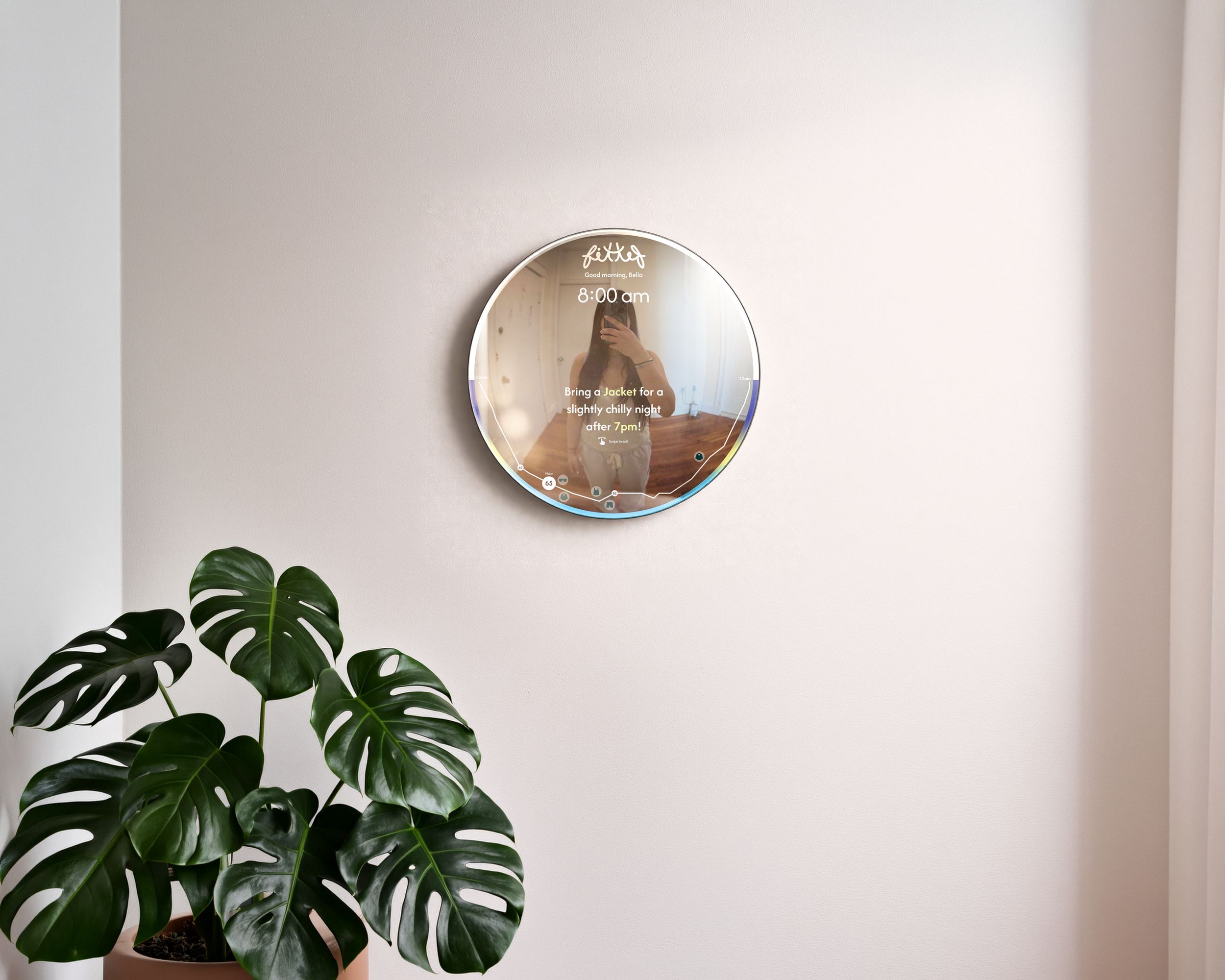
Fitted is a smart mirror concept that combines weather information with clothing recommendations, helping users make quick decisions as they prepare to leave home. Rather than checking multiple apps, users receive personalized outfit suggestions directly from the mirror through a simple touch interface.
Role: Interaction Designer
Timeline: Spring 26
Tools: Figma, Photoshop, Illustrator, Arduino/physical prototyping, AI image tools (mockup generation)
Context: Academic Capstone
Platform: Mobile app
The Problem
Many people check the weather before leaving home, yet still struggle to decide what to wear.
What getting dressed currently feels like:
"What should I wear today?"
Weather mismatch
Decision fatigue
The Goal
Pain Points
Weather changes quickly.
Temperature doesn't directly tell users what to wear.
Checking multiple apps interrupts morning routines.
Concept Development: FitCheck → Fitted
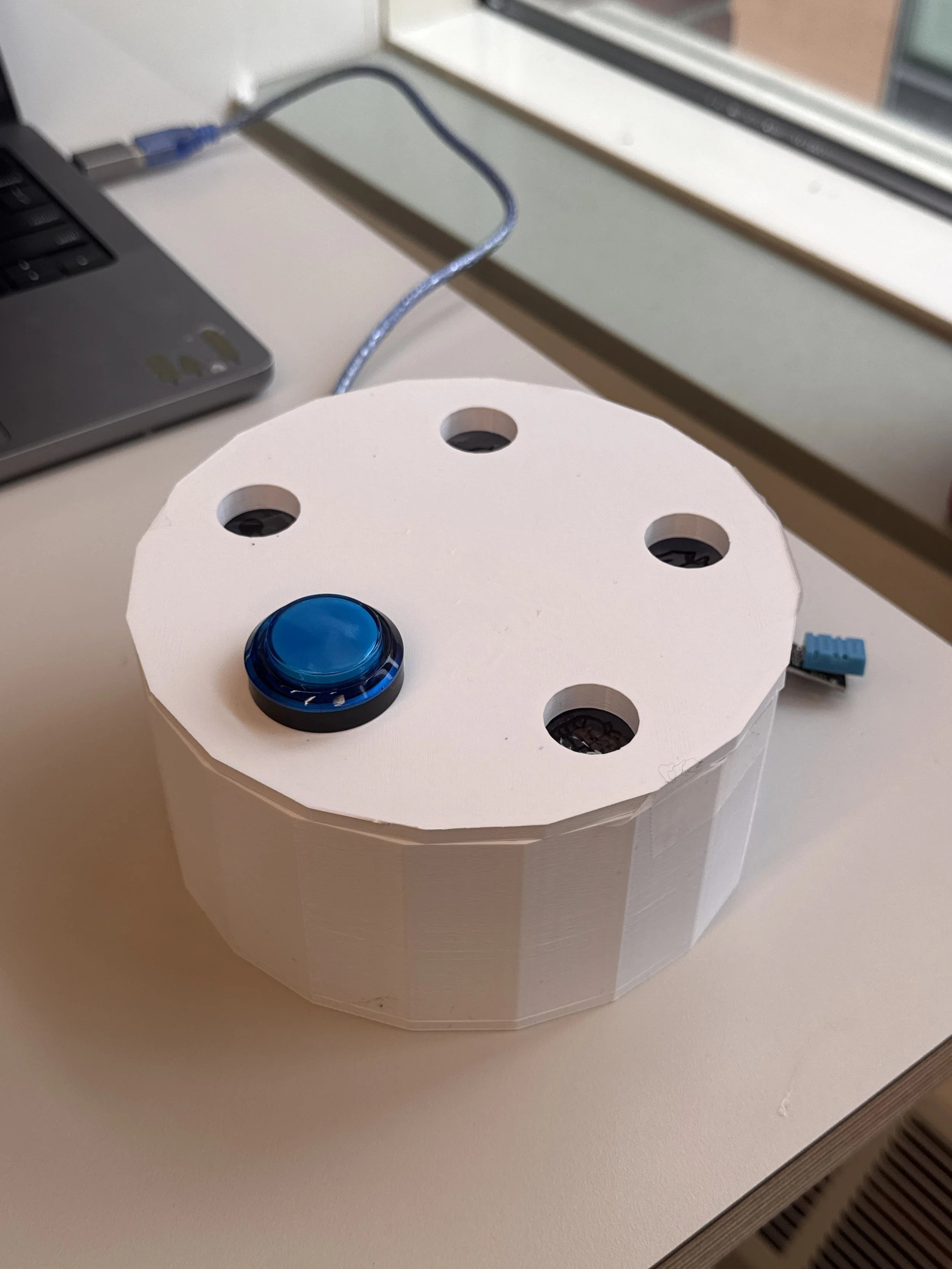
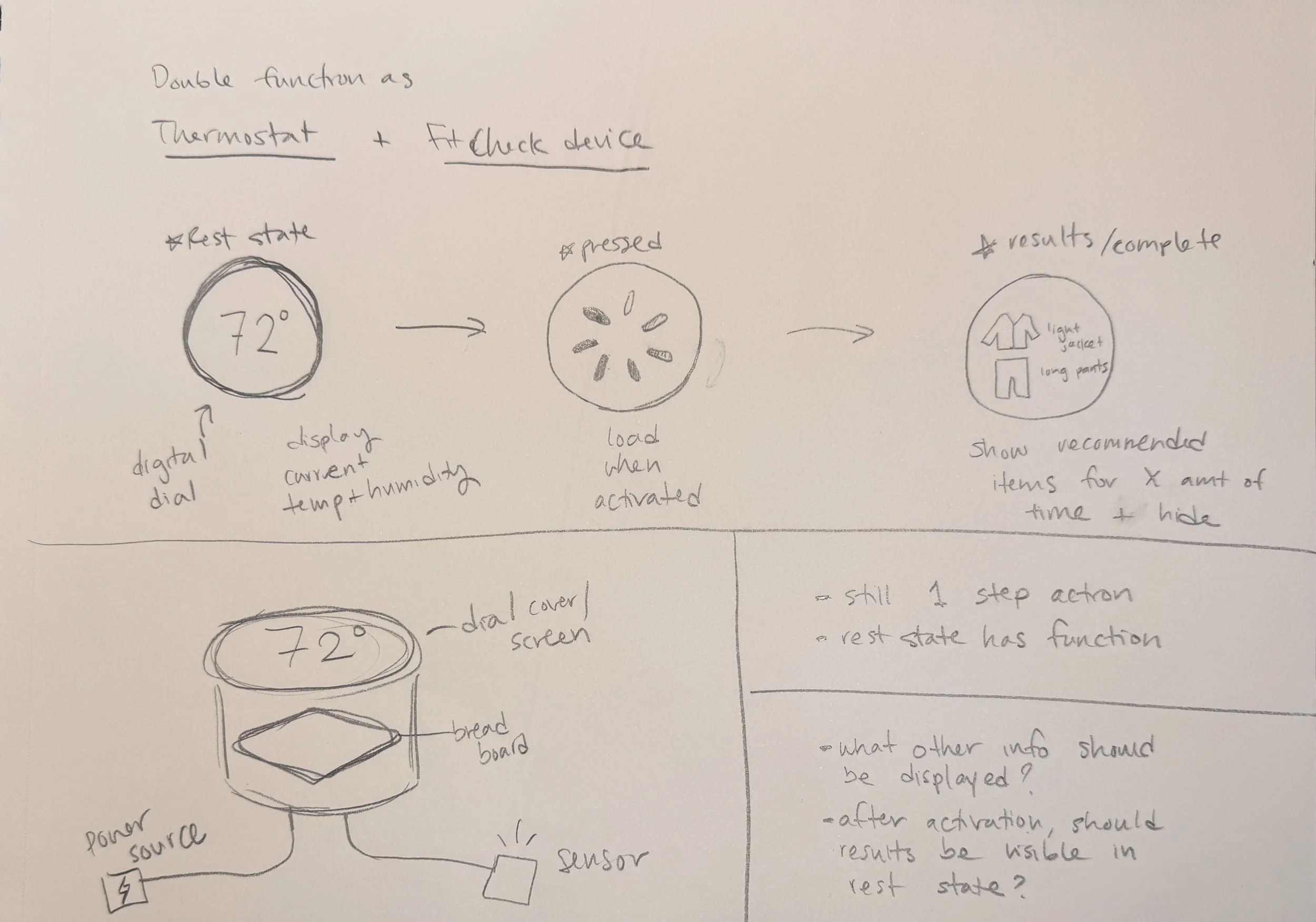
The idea behind Fitted first took shape in an earlier class project called FitCheck: a device that uses a temperature/humidity sensor and a push-button to light up an LED next to a recommended item (sunglasses, jacket, umbrella).
That project confirmed the core insight: people want a weather-based clothing recommendation without checking a phone. Fitted's capstone process took that insight much further — into a full interface, a defined target user, and a real product form factor.
Designing for a Mirror
Why a mirror?
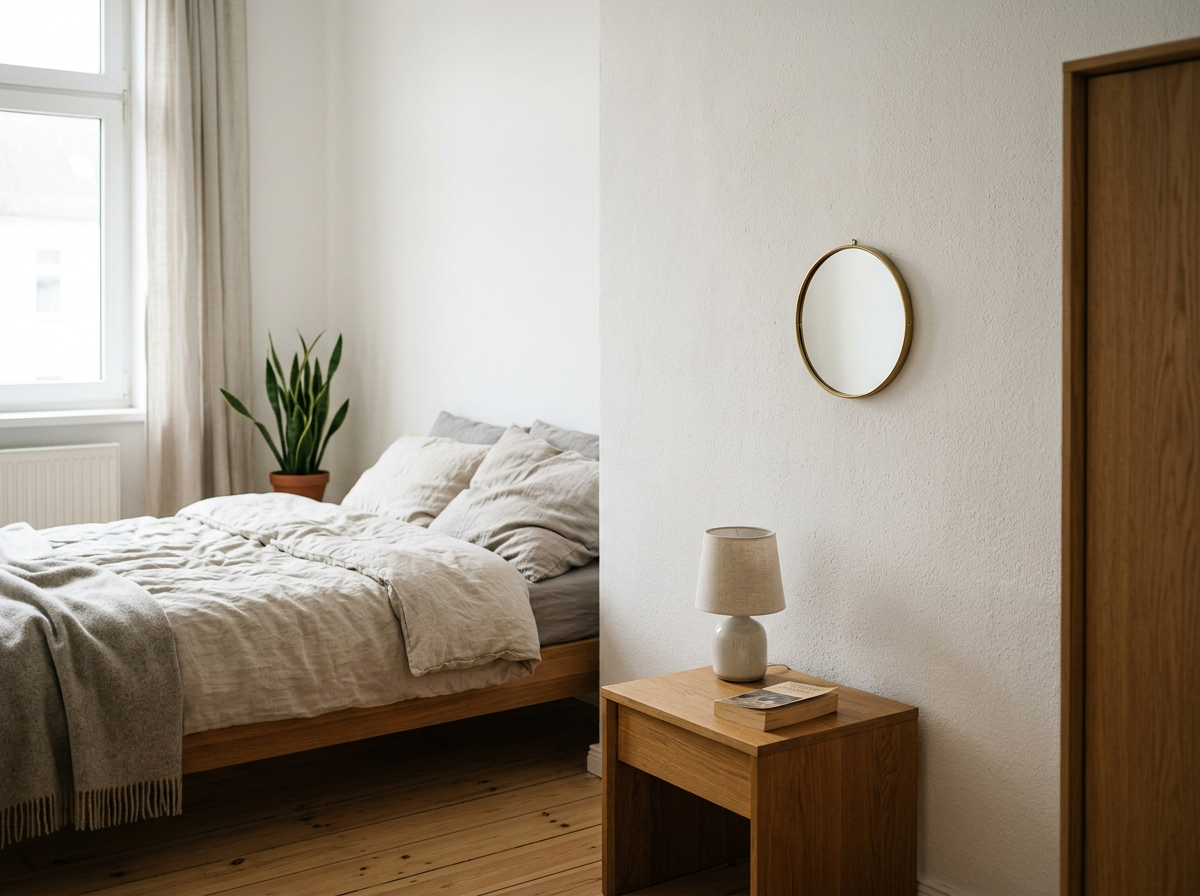
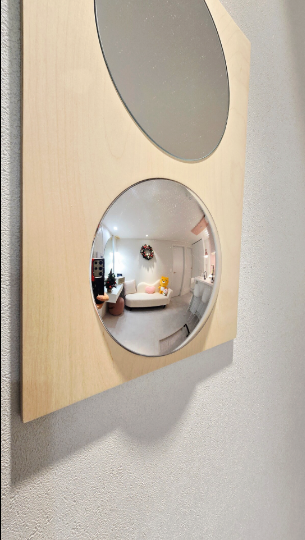
Inspired by smart mirrors and zoom-mirror products, I wanted to design a device that let users see themselves while also gaining information (weather data, outfit-checking tools, etc.). Fitted becomes both a reflection and a source of decision-support information, integrated into a routine.
Why convex?
Allows the user to see their entire outfit while interacting up close
Minimal interaction needed for simplicity — the "zoomed out" convex shape solves the problem of a small mirror feeling too tight/close
Challenges:
Circular UI design (most interface conventions assume a rectangular screen)
Producing realistic mockups of a physical product that doesn't exist yet
Interaction Design
How Fitted is integrated into a user's routine:
Activate Mirror
(current temperature, max/min temp for the day, current time, simplified clothing icons)
Fitted
(icons for clothing suggestions, suggested plan for the day — e.g. "bring a jacket for later")
→
Process
Initial Sketches
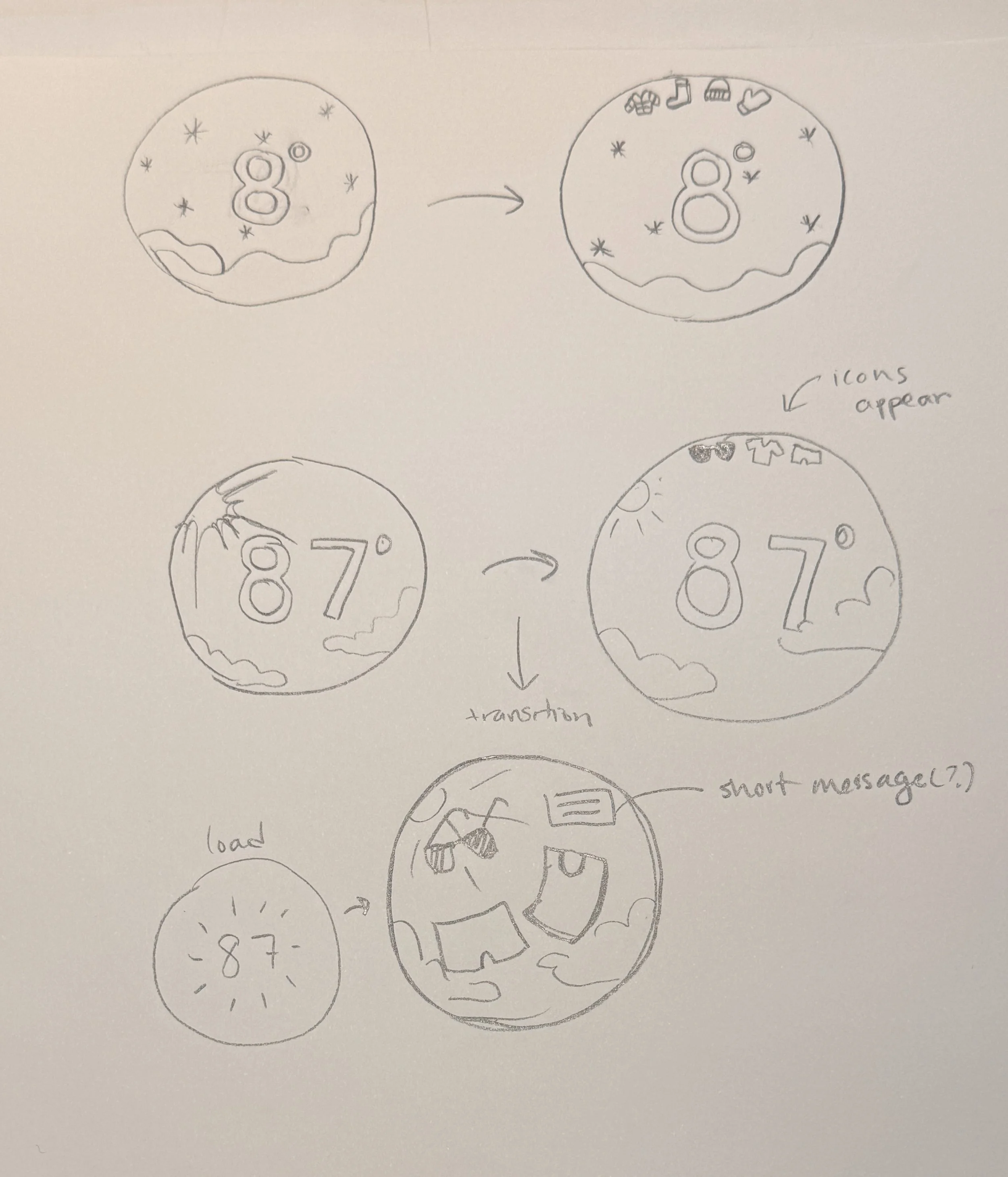
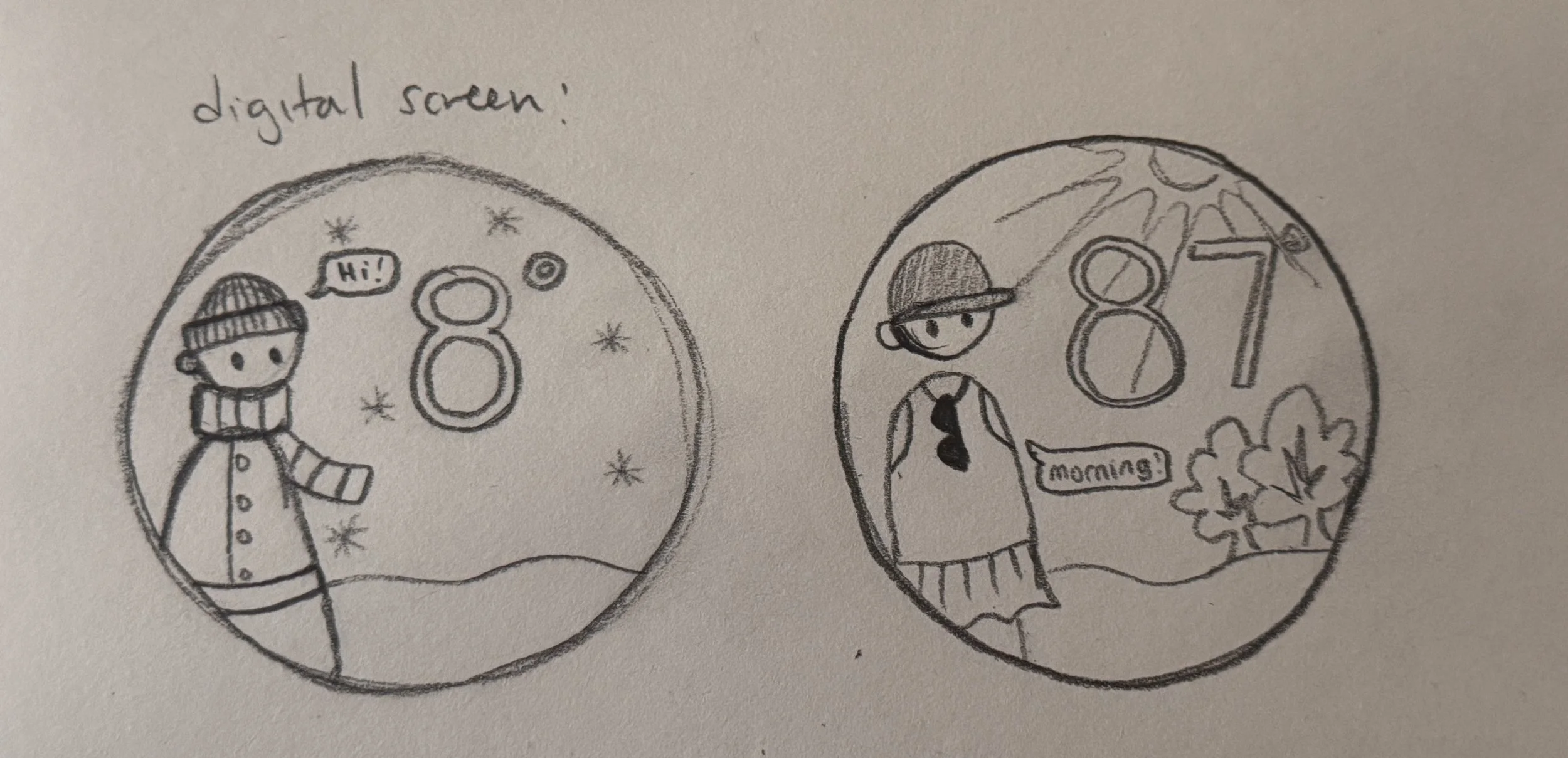
Early direction exploration: a "digital screen" concept, reinforcing a clock-like shape, a slot-machine-style reveal, and a weather/thermostat-style display.
Past Iterations
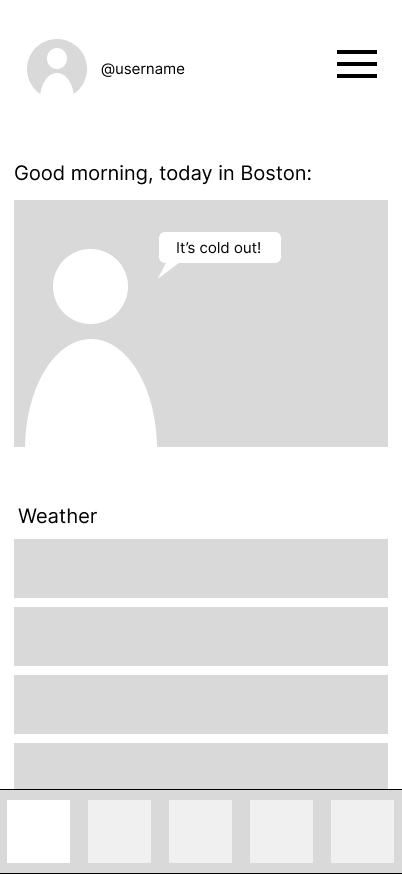
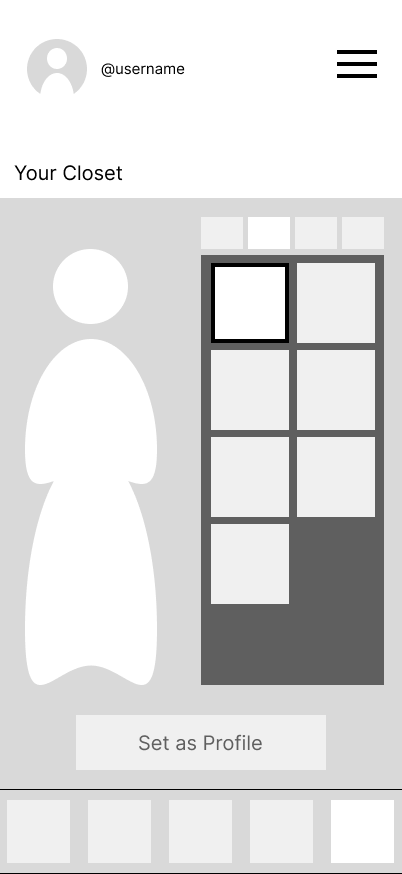
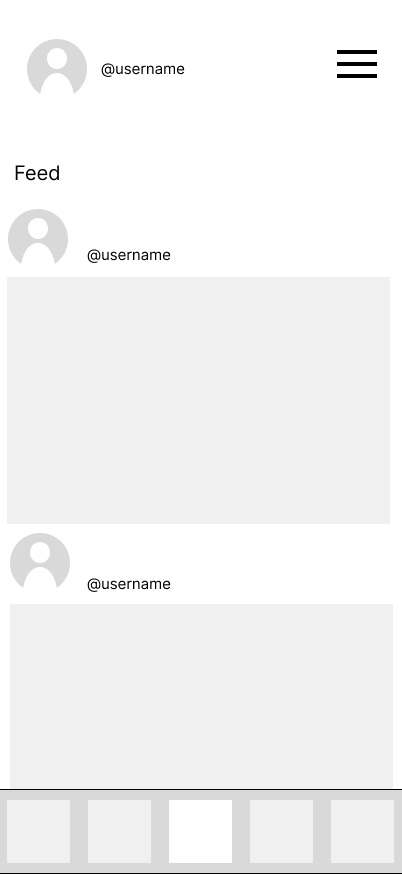
1.App Prototype
An early direction explored a companion mobile app (login, home screen, photo-sharing feed, personal closet). This was scrapped: it contradicted the core goal of reducing reliance on phones.
For next iteration: shift toward a convenient, ambient experience centered on everyday decision-making — not a fashion-social app.
Final Design Direction
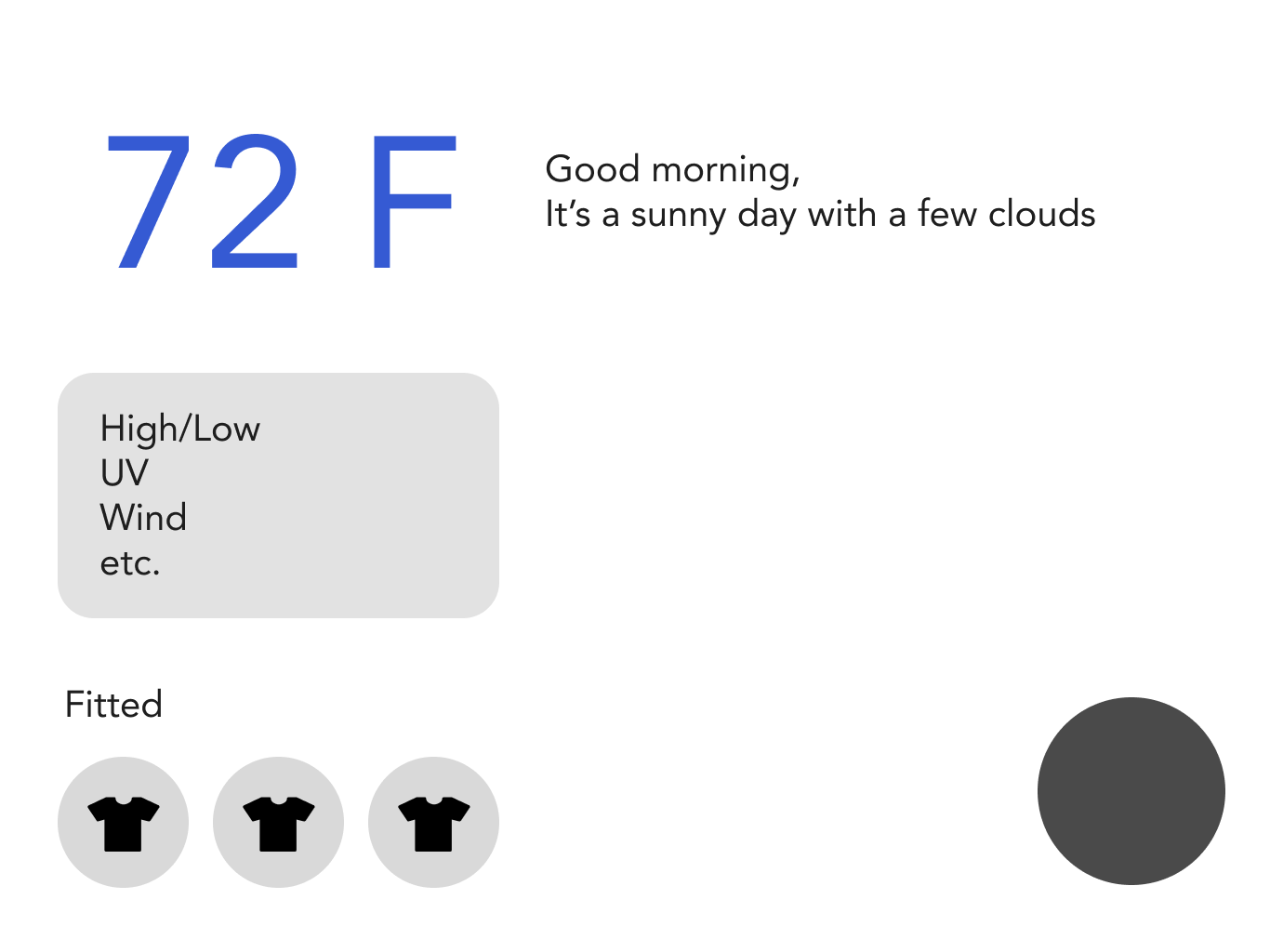
1st Figma Pass
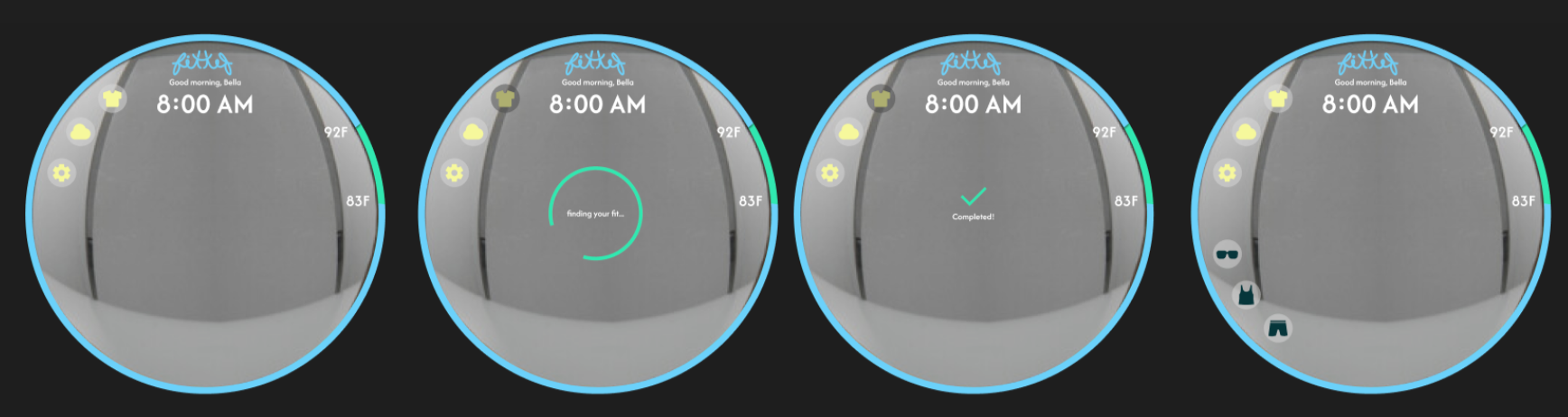
Explored core interface elements: buttons, an LED ring light, and a loading screen — designed to stay minimal so the interface wouldn't obstruct the user's reflection.
Feedback: buttons/controls introduced unnecessary steps. Next iteration: removed manual buttons to make Fitted automatic; increased the visibility of weather information.
2nd Figma Pass
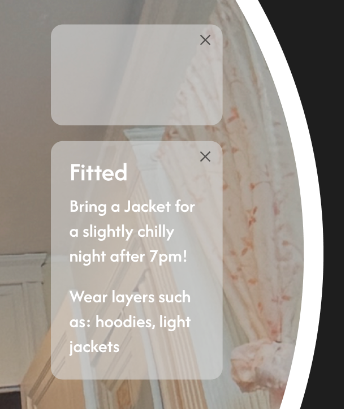
Added pop-up notification boxes, daily temperature data, floating clothing icons, and LED color variation to represent time of day.
Feedback: remove floating notification boxes in favor of centered, automatic alerts dismissible with a swipe. Increase the scale/prominence of the temperature display.
Final Figma
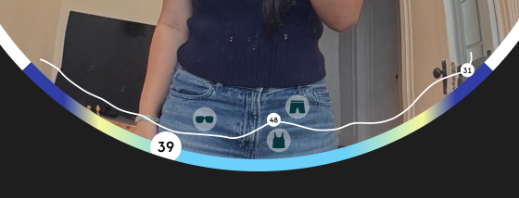
The temperature timeline, floating clothing icons, and glanceable recommendation ("Bring a Jacket for a slightly chilly night after 7pm!") come together in the final home screen — directly on the mirror surface, with no separate screen or app required.
Branding
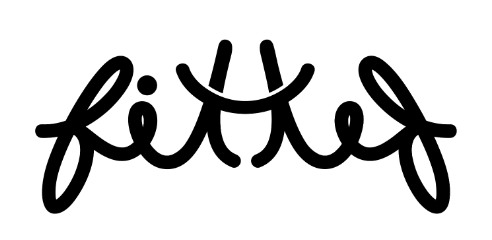
Logo: hand-drawn cursive wordmark
Color palette: #6BD1FA (sky blue), #06363B (deep teal), #FBFBFB (off-white), #30E8B0 (mint), #1F1F1F (near-black), #F6F89C (soft yellow)
Typography system: Afacad SemiBold (logo/title), Afacad Medium (tagline), Inter Regular (body), Inter Medium (UI labels), Inter Light (captions), Fredoka Light (time display)
Final Prototype
Final mockups were composited using Figma, Photoshop, and Illustrator, with AI image tools (Nano Banana, ChatGPT) used to generate realistic lifestyle context shots of the physical mirror in a room setting.
Reflection
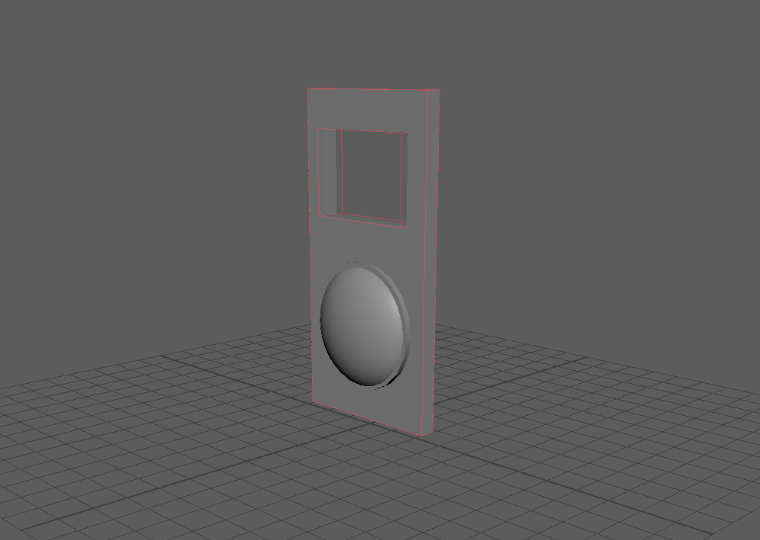
Finding the final form of the interface — explored analog buttons (Arduino + 3D print), an LCD screen, a mirror-plus-separate-screen hybrid, and a mirror with an integrated touchscreen — before landing on designing directly onto the mirror surface, since a true version doesn't exist as a manufactured product yet.
Organizing information and displaying temperature over time — working through whether buttons were necessary, and whether the result felt intuitive.
Naming and branding — evolving from FitCheck to Fitted, including exploring a mirrored/symmetric logo treatment.
Building a realistic mockup — developing AI-assisted image generation, Photoshop, and Illustrator skills to convincingly show a product that doesn't physically exist yet.
→
Fitted challenged me to design beyond a traditional screen by considering how digital information could integrate into a familiar household object. Through balancing simplicity, visibility, and interaction, I learned the importance of designing interfaces that complement existing routines rather than interrupt them. Given more time, I would further develop personalization features and build a functional prototype to evaluate interactions in a real-world environment.
The User
Primary users:
Busy students / young professionals
People who check the mirror before leaving
Key traits:
Want quick, practical decisions
Don't want to overthink outfits
Care about comfort more than styling
"Designed for quick, everyday decision-making"
The Gap
Two existing approaches, and where each falls short:
WeatherFit — phone required, requires opening an app, focuses on fashion rather than comfort.
Daily Dress Me — phone required, requires opening a website, high manual input.
Both solve part of the problem but still require the same interruption Fitted is designed to remove: stopping your routine to open something separate.
Weather Data
(detailed weather data for the day)
Get Dressed
(user brings recommended items to prepare for weather changes throughout the day)
→
2.Mirror + Separate Screen
A more "feasible" version paired an iPad touchscreen with a convex mirror as an add-on feature. This ran into real challenges with orientation, scale, and integrating two separate physical components.
This led to the key decision: design the interface directly onto the mirror itself, rather than pairing it with a separate screen.
Quick Decisions
Reduce morning decision fatigue.
Glanceable Information
Show only essential information.
Natural and Intuitive Interaction
Create an interface that feels integrated into everyday routines.